


Choosing the right security cable for laptops, docking stations and IT equipment
In businesses, schools, local authorities and co-working spaces, IT equipment is increasingly at risk of theft, being wrenched away or unauthorised removal. Laptops, docking stations, monitors, projectors and tablets represent strategic investments that must be effectively protected.
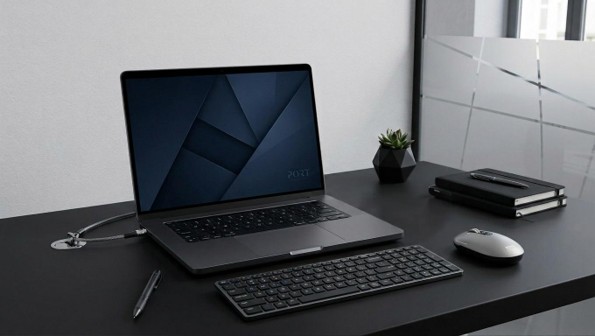
IT security cables are now established as a simple, quick-to-deploy and cost-effective solution for securing everyday devices without altering the working environment.
But not all security cables are created equal: the type of notch, compatibility with ultrabooks, the cable’s strength, the locking mechanism or IT asset management… each use case requires a tailored solution.
Why use an IT security cable?
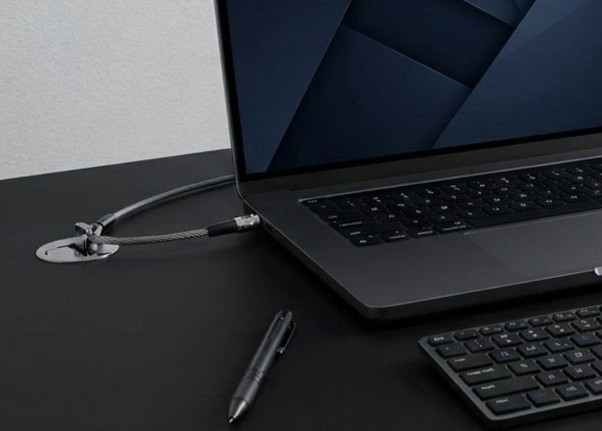
The main purpose of a security cable is to prevent opportunistic theft of a computer device in a shared or public environment. Here are the most common scenarios:
- a laptop left on a desk for a few minutes;
- a docking station set up in an open-plan office;
- a meeting room equipped with audiovisual equipment;
- computer facilities in a school;
- a self-service kiosk or workstation;
- co-working spaces or reception areas.
Contrary to popular belief, the majority of IT thefts are quick and opportunistic. A security cable therefore acts as:
- an immediate visual deterrent;
- physical protection against the cable being wrenched free;
- a simple security solution to implement;
- a way of limiting the costs associated with replacing equipment and data loss.
The 4 mistakes to watch out for before buying a security cable
- An incompatible cable cannot be locked in place properly
- Standard, Nano® and Noble Wedge® use different formats
- Risk of product returns and wasted time for IT teams
- Some docking stations and ultrabooks require specific formats
- Incompatibility can halt the roll-out of an IT fleet
PORT Connect security cables are available in Standard, Nano® and Noble Wedge® formats to ensure optimal compatibility with leading brands such as Dell®, HP®, Lenovo®, Samsung®, ASUS® and Acer®. Our solutions are also compatible with USB-C and Thunderbolt™ docking stations, enabling you to effectively secure everything from traditional laptops to ultrabooks and the latest professional equipment.
- Older standard locks may be too thick for some newer devices
- An unsuitable lock can raise the laptop off its surface
- Risk of damaging the chassis or ports
- Some compact docking stations do not allow the use of a standard lock
- USB-C and Thunderbolt™ ports may be obstructed by an overly bulky system
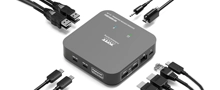
Our docking stations integrate all essential ports into a single unit. The 3X 4K USB-A & USB-C 12-Port 85W Desktop Docking Station is the perfect example: HDMI and DisplayPort video outputs, Ethernet, USB-A and USB-C ports, and an 85W power supply – everything you need for a fully-fledged workstation, without compromise.
- The proliferation of keys makes day-to-day management difficult
- High risk of keys being lost or forgotten
- Longer maintenance times for IT departments
- Potential downtime for secure equipment
- Complex management of large, multi-user IT fleets
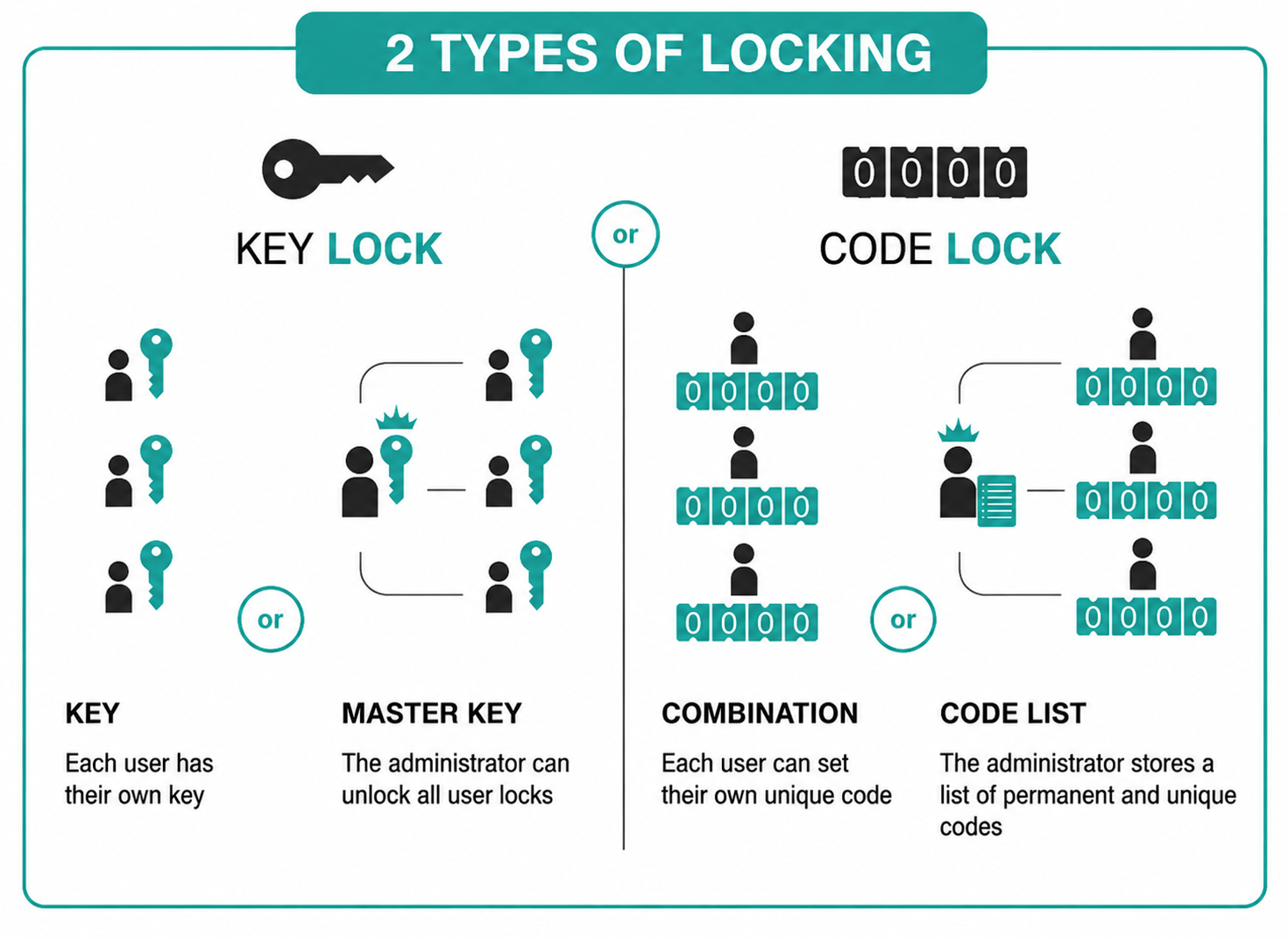
PORT Connect’s professional solutions incorporate various locking systems tailored to the needs of businesses, local authorities and educational establishments. Pass-key versions allow administrators to unlock an entire fleet using a master key, whilst serialised code models facilitate the management and tracking of equipment through centralised and secure identification.
- Not all cables offer the same resistance to cutting
- Entry-level models often use less robust constructions
- Low density reduces the cable’s durability
- Cables that lack flexibility wear out more quickly
- An insufficiently reinforced cable limits the actual level of protection
PORT Connect security cables use a high-density, 7x7 reinforced braid, offering an excellent balance between flexibility, durability and mechanical strength. This design improves resistance to cutting attempts whilst ensuring comfortable everyday use, particularly in professional environments, shared spaces and high-traffic areas.
Our guide below helps you identify, in four steps, the docking station that perfectly matches your setup.
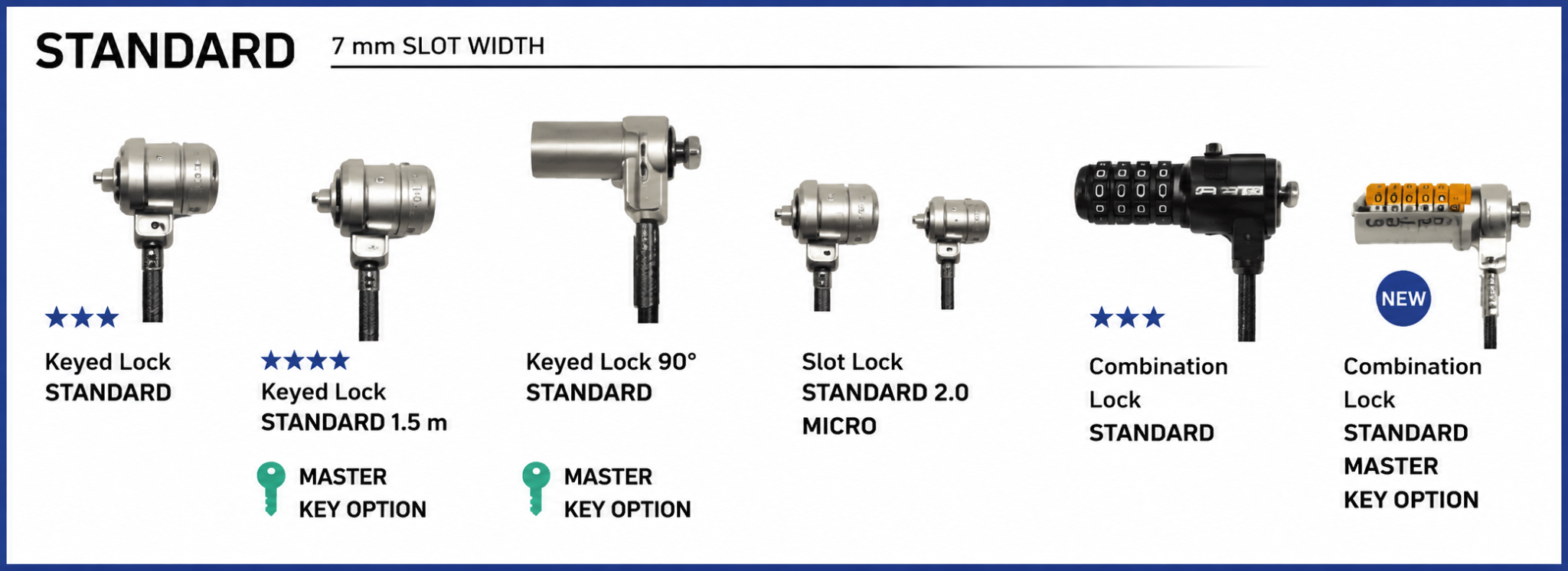
1. Choose a Standard slot (T-Lock)
The Standard slot is the most widely used format on professional IT equipment. It is mainly found on:
- standard laptops;
- professional monitors;
- video projectors;
- professional televisions;
- many IT peripherals.
With a width of 7 mm, this format offers:
- extensive compatibility;
- a cost-effective solution;
- a wide range of compatible accessories and cables.
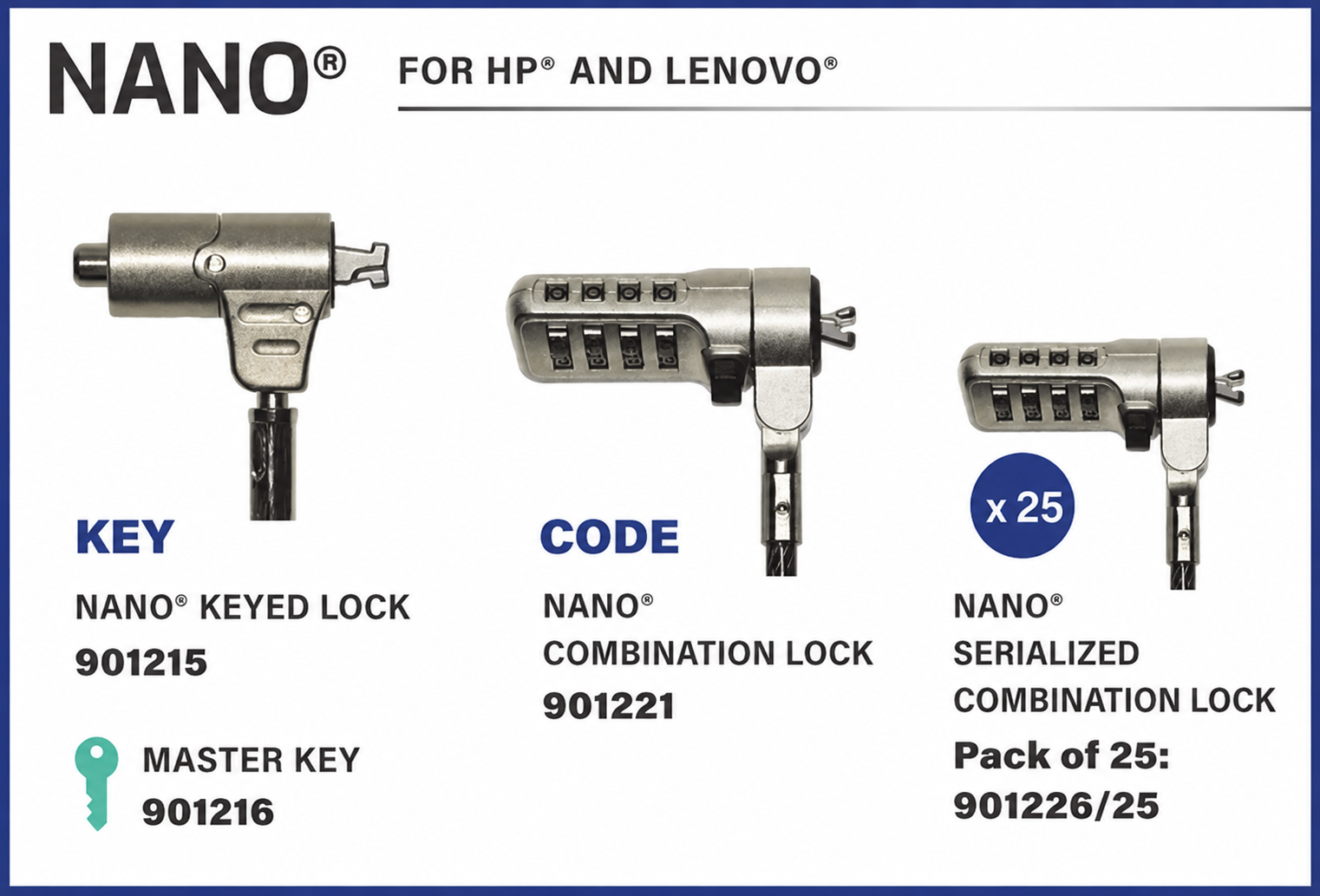
2. Opt for a Nano® slot for ultra-slim devices
The Nano® slot was developed to meet the requirements of ultrabooks and next-generation devices. It is mainly found on:
- HP®;
- Lenovo®;
- Samsung®;
- certain business ultrabooks.
Thanks to its compact 4.5 mm design, it allows:
- secure slim devices without raising them;
- improved aesthetic integration;
- maintain access to USB-C and Thunderbolt™ ports;
- compatibility with compact docking stations.
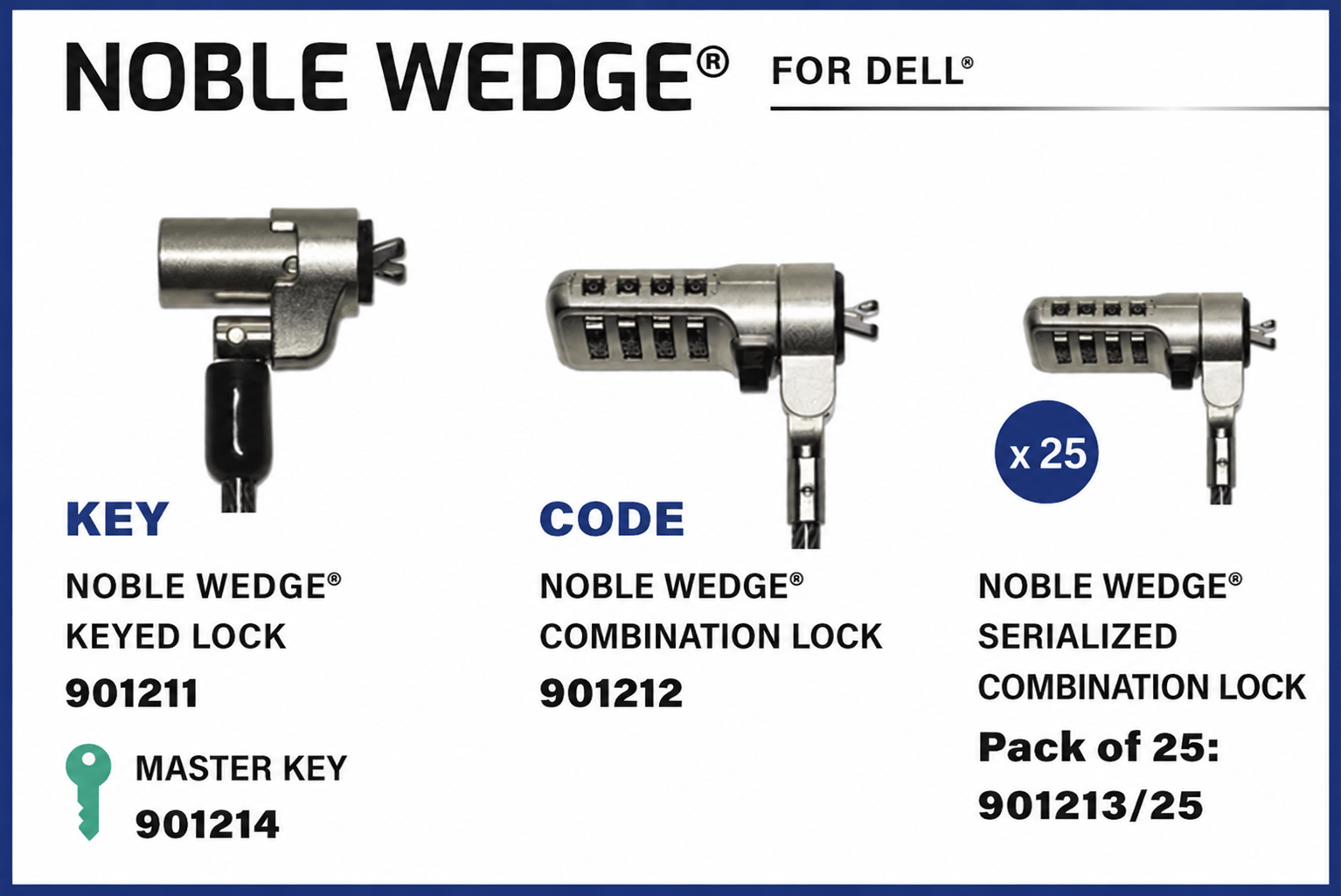
3. Choosing the Noble Wedge® system for certain Dell® devices
The Noble Wedge® system is primarily used on certain Dell® business devices. It is frequently found on:
- Dell® computers;
- Dell® docking stations;
- business ultrabooks.
With a width of 6 mm, this system ensures:
- a secure lock;
- excellent stability;
- compatibility with slim chassis;
- a secure mounting suitable for professional environments.
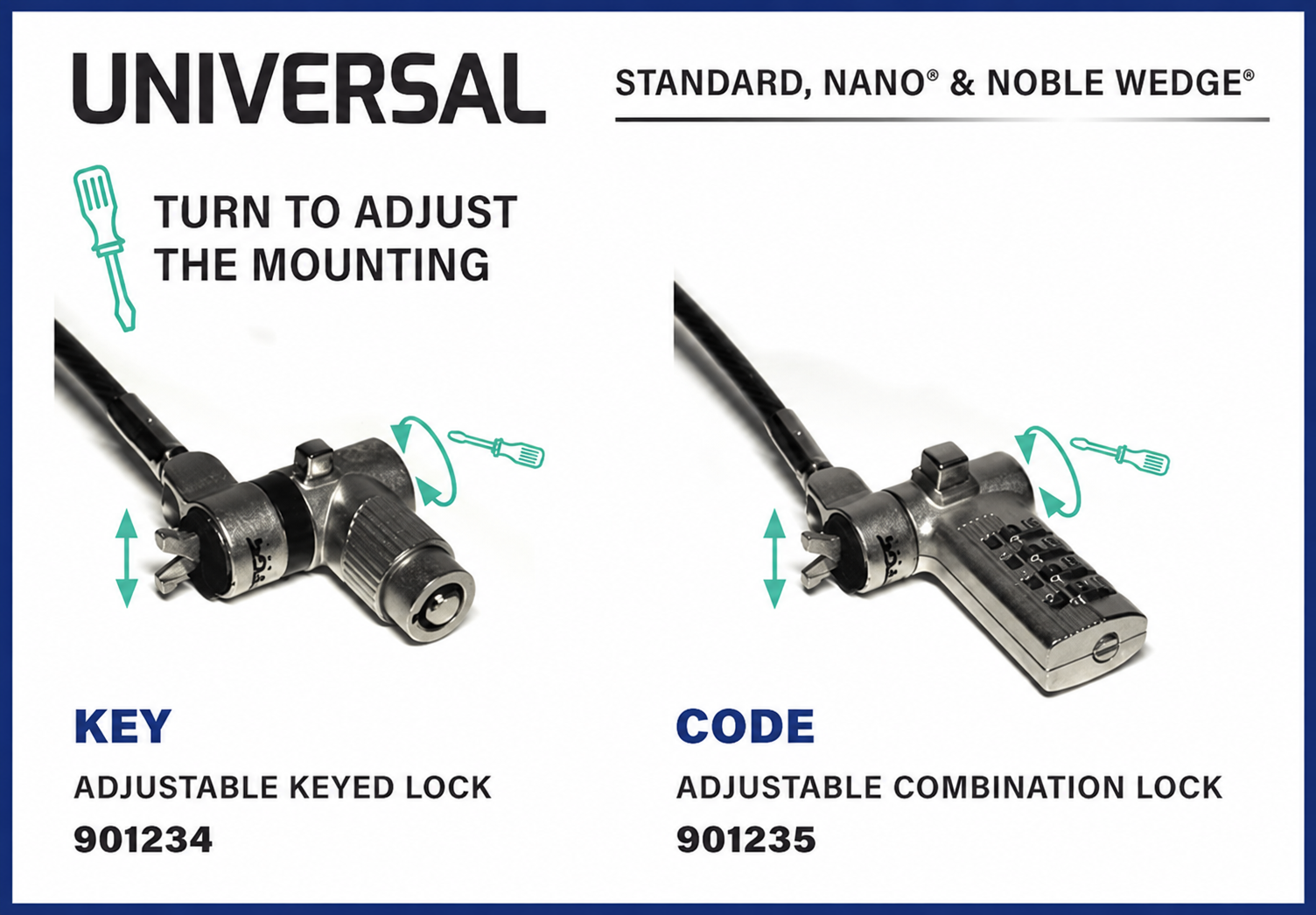
4. Choose a universal solution for all brands
Some newer devices no longer have a built-in security slot, in particular:
- mini PCs;
- compact peripherals;
- certain ultrabooks;
- specialised business equipment.
PORT Connect’s universal solutions allow you to:
- the addition of a secure locking point;
- protect devices without a security slot;
- the use of a security cable on a wider range of devices;
- easily integrate protection into professional and shared environments.
Thanks to their discreet and robust design, these solutions ensure extensive compatibility with PORT Connect security cables.
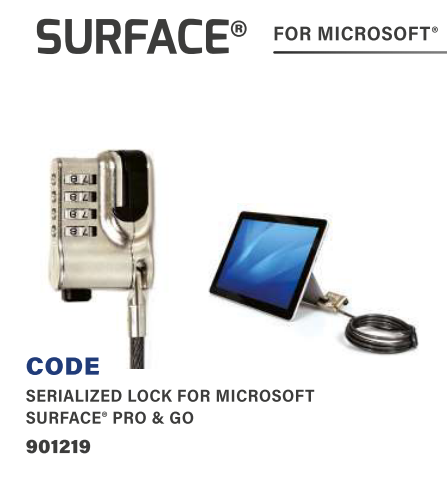
5. Choose a solution designed specifically for tablets
Tablets and touchscreen devices are particularly vulnerable to theft in:
- schools;
- reception areas;
- retail outlets;
- meeting rooms;
- open-access environments.
PORT Connect tablet solutions enable:
- secure mobile devices effectively;
- maintain ergonomics and touchscreen functionality;
- add a robust mount to devices without a notch;
- protect equipment without compromising its portability.
These solutions are ideal for securing devices in professional, educational and retail settings whilst ensuring simple and discreet installation.
Frequently asked questions about security cables
The size depends on the security slot built into your device. The Standard (7 mm) is the most common on conventional devices. The Nano® (4.5 mm) is designed for ultrabooks and slim devices, whilst the Noble Wedge® (6 mm) is mainly used on certain Dell® devices.
You can identify the compatible size:
- by the symbol next to the slot;
- by measuring the width of the slot;
- or by checking your device’s brand (Dell®, HP®, Lenovo®, Samsung®, etc.).
Yes. PORT Connect security cables use a reinforced mechanical locking system combined with a high-density braided steel cable designed to withstand attempts to pull it out or cut it. The locking mechanism engages directly with the device’s security slot to create a robust securing point that is difficult to remove without the correct key or code. This technology effectively secures laptops, docking stations, monitors and IT equipment in professional and educational environments, as well as in shared spaces.
Yes. Many USB-C and Thunderbolt™ docking stations feature a Standard, Nano® or Noble Wedge® slot, allowing you to use a suitable security cable.
There are self-adhesive security slots available that are compatible with anti-theft cables. These allow you to secure tablets, smartphones, mini PCs or ultra-slim devices that do not have a built-in slot.